[ Présentation  | Tcplogd ( PrésentationInstallationTests de fonctionnement , Utilisation  ) | Portsentry ( Présentation, Installation  ,  ConfigurationLes modes de fonctionnementTests de fonctionnement, Lancement automatique de portsentry  )   | Iplog ( Présentation , installation, configuration , utilisation ) ]

Dernière modification 16.03.03

Détecter les attaques en temps réel

Sécurité


Présentation

Le but de cette page est de vous présenter des outils permettant de détecter en temps réel les attaques lorsque vous êtes connectés à internet, dans cette catégorie vous trouverez des outils de détection passifs se contentant de vous avertir d'attaques, libre à vous de mener les actions en conséquence, vous trouverez ensuite des outils de détection actifs, c'est à dire qu'ils vont eux mêmes automatiquement faire des manips systèmes pour bloquer les attaques le plus rapidement possibles.
Pour l'instant je vous présente deux outils tcplogd dans la catégorie détection passive et le très puissant portsentry pour une détection active.

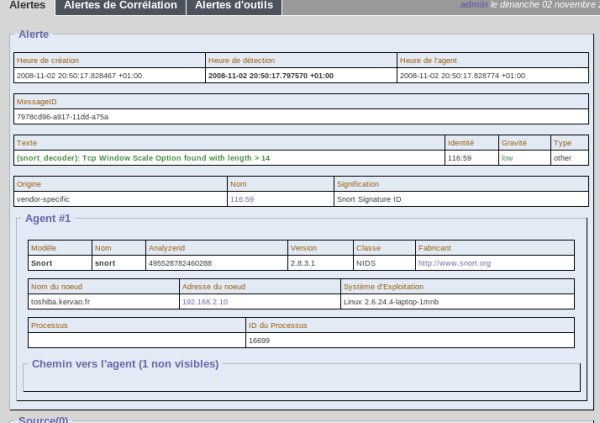
An IDS is a program that tries to detect strange packets and behaviors that may compromise a network. The first IDS was the host-based IDS, but the one that really got the market was the NIDS, the network-based. There is usually some software or appliance, called a sensor or agent, that has one or two network interfaces (as we will see later, it may work perfectly with one network interface), which works in promiscuous mode. In other words, it will catch all the packets that come to the interface and not just those with its particular destination IP address. In this way, the IDS can analyze all the packets that cross the network, check if they contain, for example, any suspicious strings and then decide how to perform a reaction, such as interacting with the firewall to create new rules to block the IP address, sending pager/e-mail alerts to the security administrator and so on. One important topic about the NIDS is where to deploy the sensor, inside or outside the firewall. I like to quote an interesting passage about this from SANS' GIAC Director Stephen Northcutt's book, Network Intrusion Detection: An Analyst's Handbook:

http://www.prelude-ids.org/
tar xvfz libprelude-0.8.10.tar.gz
libprelude-0.8.10
./configure
make
make install

tar xvfz prelude-manager-0.8.10.tar.gz
prelude-manager-0.8.10
./configure
make

In file included from ../../../src/include/db.h:27,
                 from mysql.c:36:
/usr/local/include/libprelude/list.h:70: error: conflicting types for 'list_add'
/usr/local/include/mysql/my_list.h:31: error: previous declaration of 'list_add' was here
/usr/local/include/libprelude/list.h:70: error: conflicting types for 'list_add'
/usr/local/include/mysql/my_list.h:31: error: previous declaration of 'list_add' was here


make install

[Retour haut de la page]

Tcplogd

Présentation

Tcplogd est un outil qui permet une détection des attaques du style scan de port TCP par nmap, toute attaque est inscrite dans le fichier /var/log/messages via syslogd.

Installation

Vous trouverez l'archive  tcplogd-0_1_5pre1_tar.gz  à l'URL http://www.kalug.lug.net/tcplogd qui n'a plus l'air d'être actif, vous la décompressez en tapant dans une répertoire de travail:

tar xvfz tcplogd-0_1_5pre1_tar.gz

Cela va vous créer un répertoire tcplogd-0.1.5. Préalablement vous devez installer le package flex. Vous devez créer un Makefile adapté à votre système en tapant:

./configure

ATTENTION   Les exécutables vont se trouver sous /usr/local/sbin et /usr/local/bin, le  fichier de conf dans /usr/local/etc. Si ça ne vous convient pas, tapez préalablement

configure --help

Vous constaterez alors que vous avez le moyen de définir d'autres répertoires d'accueil

Taper maintenant :

make

Et enfin en tant que root

make install

Voici les messages qu'on obtient pour cette dernière commande:

/usr/bin/install -c -g bin -m 755 -o root -s tcplogd /usr/local/sbin
/usr/bin/install -c -g bin -m 755 -o root -s confcheck /usr/local/bin
Do make cf-install or/and rh-install to install config files or/and redhat startup scripts separately.

A présent on va mettre en place le fichier de config en place en tapant:

make cf-install

Le résultat de la commande est:

/usr/bin/install -c -g bin -m 400 -o root tcplogd.cf /usr/local/etc

Dans ce fichier vous pouvez spécifier des hôtes amis au niveau de la section trusted.

trusted {
www.yahoo.com
foo.bar.com
202.202.202.2
}

Vous y supprimerez les valeurs par défaut et mettrez les adresses IP des hôtes amis.

Maintenant on va faire en sorte que tcplogd soit lancé à chaque démarrage en tapant:

make rh-install

Le résultat de la commande est:

make install
make[1]: Entering directory &pi0;/alphonse/linux/securite/tcplogd-0.1.5'
/usr/bin/install -c -g bin -m 755 -o root -s tcplogd /usr/local/sbin
/usr/bin/install -c -g bin -m 755 -o root -s confcheck /usr/local/bin
Do make cf-install or/and rh-install to install config files
or/and redhat startup scripts separately.
make[1]: Leaving directory &pi0;/alphonse/linux/securite/tcplogd-0.1.5'
./rh_rcd.install
Making symlinks in startup runlevels: 2 3 4 5
symlinking /etc/rc.d/init.d/tcplogd.init /etc/rc.d/rc2.d/S17tcplogd
symlinking /etc/rc.d/init.d/tcplogd.init /etc/rc.d/rc3.d/S17tcplogd
symlinking /etc/rc.d/init.d/tcplogd.init /etc/rc.d/rc4.d/S17tcplogd
symlinking /etc/rc.d/init.d/tcplogd.init /etc/rc.d/rc5.d/S17tcplogd
Making symlinks in stop runlevels: 0 1 6
symlinking /etc/rc.d/init.d/tcplogd.init /etc/rc.d/rc0.d/K58tcplogd
symlinking /etc/rc.d/init.d/tcplogd.init /etc/rc.d/rc1.d/K58tcplogd
symlinking /etc/rc.d/init.d/tcplogd.init /etc/rc.d/rc6.d/K58tcplogd
done.Do not forget to add:
local3.*                                /var/log/tcp-log
to /etc/syslog.conf

Le fichier de démarrage de tcplogd, tcplogd.init a été installé sous /etc/rc.d/init.d avec les liens suivant pointant  vers ce fichier:

/etc/rc.d/rc2.d/S17tcplogd
/etc/rc.d/rc3.d/S17tcplogd
/etc/rc.d/rc4.d/S17tcplogd
/etc/rc.d/rc0.d/K58tcplogd
/etc/rc.d/rc1.d/K58tcplogd
/etc/rc.d/rc6.d/K58tcplogd

NOTES - Si vous ne voulez plus que tcplogd soit lancé au démarrage il suffira de supprimer liens sous les répertoires /etc/rc.d/rcX.d
           - Si vous ne voulez pas que tcplogd soit lancé au démarrage, pour le lancer ponctuellement il suffira de taper en tant que root

./tcplogd-0.1.5/tcplogd.init start

A présent éditer le fichier /etc/syslog.conf et rajouter:

local3.*                                /var/log/tcp-log


[Retour haut de la page]

Tests de fonctionnement

Soit le poste asterix (IP 192.168.13.10) de votre réseau local qui va faire office d'attaquant et obelix (IP 192.168.13.11) votre poste à protéger, armoric.bz votre domaine. D'obelix on va d'abord lancer tcplogd, en tapant:

/etc/rc.d/init.d/tcplogd.init start
Starting tcplogd:                                          [  OK  ]

 Checking tcplogger config file [/usr/local/etc/tcplogd.cf]

encounted 0 errors. Scanned configuration is:
ignoring ports: 25 113
logging packets:
type: "Xmas Three"      mask: 29        facility: INFO
type: "Syn probe"       mask: 2 facility: INFO
type: "StealthFin"      mask: 1 facility: INFO
type: "Null probe"      mask: 0 facility: INFO

 flood limit: 100 flood timeout: 12

trusted hosts

192.168.13.11 [A92.168.13.11]
 

Maintenant d'asterix on va faire un scan des ports TCP d'obelix en tapant:

nmap -v obelix

Voici ce qui va s'afficher en temps réel dans le fichier /var/log/tcp-log

Apr  3 18:57:51 obelix tcplogd: "Syn probe" asterix.armoric.bz[192.168.13.10]:[1220]->obelix.armoric.bz[192.168.13.11]:[1421]
Apr  3 18:57:51 obelix tcplogd: "Syn probe" asterix.armoric.bz[192.168.13.10]:[1221]->obelix.armoric.bz[192.168.13.11]:time
Apr  3 18:57:51 obelix tcplogd: "Syn probe" asterix.armoric.bz[192.168.13.10]:[1222]->obelix.armoric.bz[192.168.13.11]:[928]
Apr  3 18:57:51 obelix tcplogd: "Syn probe" asterix.armoric.bz[192.168.13.10]:[1223]->obelix.armoric.bz[192.168.13.11]:[4133]
Apr  3 18:57:51 obelix tcplogd: "Syn probe" asterix.armoric.bz[192.168.13.10]:[1224]->obelix.armoric.bz[192.168.13.11]:[147]
Apr  3 18:57:51 obelix tcplogd: "Syn probe" asterix.armoric.bz[192.168.13.10]:[1225]->obelix.armoric.bz[192.168.13.11]:[304]
Apr  3 18:57:51 obelix tcplogd: Flood detected

A présent d'asterix on va voir si y a SSH (port 22), DNS (port 53), POP3 (port 110), IMAP (port 143)  qui tourne et le port 4564 ouvert sur obelix.

nmap -sX -p 22,53,110,143,4564 obelix

Résultat dans /var/log/tcp-log

Apr  3 19:00:56 obelix tcplogd: "Xmas Three" asterix.armoric.bz[192.168.13.10]:[49686]->obelix.armoric.bz[192.168.13.11]:pop3
Apr  3 19:00:56 obelix tcplogd: "Xmas Three"asterix.armoric.bz[192.168.13.10]:[49686]->obelix.armoric.bz[192.168.13.11]:domain
Apr  3 19:00:56 obelix tcplogd: "Xmas Three" asterix.armoric.bz[192.168.13.10]:[49686]->obelix.armoric.bz[192.168.13.11]:ssh
Apr  3 19:00:56 obelix tcplogd: "Xmas Three" asterix.armoric.bz[192.168.13.10]:[49686]->obelix.armoric.bz[192.168.13.11]:[4564]
Apr  3 19:00:56 obelix tcplogd: "Xmas Three" asterix.armoric.bz[192.168.13.10]:[49686]->obelix.armoric.bz[192.168.13.11]]:imap2
Apr  3 19:00:56 obelix tcplogd: "Xmas Three" asterix.armoric.bz[192.168.13.10]:[49687]->obelix.armoric.bz[192.168.13.11]:pop3
Apr  3 19:00:57 obelix tcplogd: "Xmas Three"asterix.armoric.bz[192.168.13.10]:[49686]->obelix.armoric.bz[192.168.13.11]:pop3
Apr  3 19:00:57 obelix tcplogd: "Xmas Three" asterix.armoric.bz[192.168.13.10]:[49687]->obelix.armoric.bz[192.168.13.11]:pop3

[Retour haut de la page]

Utilisation

Etant connecté pour voir si vous êtes attaqués vous devez avoir le fichier tcp-log constamment ouvert, pour cela dans un shell indépendant taper:

tail -f /var/log/tcp-log

Automatiquement dès qu'une nouvelle ligne sera rajoutée au fichier vous la verrez dans le shell.

[Retour haut de la page]

Portsentry

Présentation

Portsentry est un outil permettant de détecter les attaques de type scan, en plus de se contenter de détecter les attaques, il peut mener les actions suivantes:
- inscription de l'incident dans le fichier /var/log/messages(viasyslogd)
- l'hôte "attaqueur" est automatiquement rajouté dans/etc/hosts.deny (il ne pourra donc plus faire appel aux services validés dans /etc/inetd.conf). Pour une Mandrake 8.1 n'oubliez pas que les TCP Wrappers, dont dépendent les fichiers hosts.deny et hosts.allow, ne sont pas forcément installés sur votre système, veuillez installer le packagetcp_wrappers-7.6-19mdk.
- on reconfigure iptables pour que tout ce qui vient de l'hôte "attaqueur" soit immédiatement rejeté
D'autres part on peut aller plus loin,  en coupant automatiquement la connexion par exemple à la moindre attaque.
[Retour haut de la page]

Installation

Le site officiel de Portsentry était à l'URL www.psionic.com/abacus/portsentry, visiblement tout a disparu et je n'ai pas trouvé une nouvelle URL. Voici une copie locale de portsentry-1.1.tar.gz. Une fois l'archive placée dans un répertoire de travail de votre choix, tapez pour la décompresser:

tar xvfz portsentry-1.1.tar.gz

Un répertoire portsentry-1.1 va se créer, dans ce répertoire vous trouverez un fichier Makefile vous pouvez lui définir le répertoire d'installation de portsentry,par défaut il est fixé ainsi

INSTALLDIR = /usr/local/psionic

Portsentry sera donc installé sous /usr/local/psionic/portsentry, si vous voulez que portsentry soit installé sous /usr/local/portsentry, il sufft de modifier la variable INSTALLDIR ainsi:

INSTALLDIR=/usr/local

C'est pas tout, maintenant éditer  portsentry_config.h par défaut le fichier de configuration de portsentry se trouve sous /usr/local/psionic/portsentry/portsentry.conf, si vous voulez qu'il soit sous /usr/local/portsentry, vous devez modifier

#define CONFIG_FILE "/usr/local/psionic/portsentry/portsentry.conf"

Pour lire

#define CONFIG_FILE "/usr/local/portsentry/portsentry.conf"

On peut à présent lancer la compilation en tapant

make linux

Voici les messages que vous allez obtenir

SYSTYPE=linux
Making
cc -O -Wall -DLINUX -DSUPPORT_STEALTH -o ./portsentry ./portsentry.c \
       ./portsentry_io.c ./portsentry_util.c

Voilà en tant que root vous pouvez passer à l'installation au bon endroit des exécutables, en tapant:

make install

Creating portsentry directory /usr/local/portsentry
Setting directory permissions
chmod 700 /usr/local/portsentry
Copying files
cp ./portsentry.conf /usr/local/portsentry
cp ./portsentry.ignore /usr/local/portsentry
cp ./portsentry /usr/local/portsentry
Setting permissions
chmod 600 /usr/local/portsentry/portsentry.ignore
chmod 600 /usr/local/portsentry/portsentry.conf
chmod 700 /usr/local/portsentry/portsentry
 

Edit /usr/local/portsentry/portsentry.conf and change
your settings if you haven't already. (route, etc)
 

WARNING: This version and above now use a new
directory structure for storing the program
and config files (/usr/local/portsentry).
Please make sure you delete the old files when
the testing of this install is complete.

C'est bon portsentry est installé, passons à la configuration.

[Retour haut de la page]

Configuration

Pour cela éditer le fichier de configuration qui se trouve (du moins dans mon exemple) sous /usr/local/portsentry et qui se nomme portsentry.conf. Les lignes intéressantes ou à modifier sont:

######################
# Configuration Files#
######################
#
# Hosts to ignore
IGNORE_FILE="/usr/local/portsentry/portsentry.ignore"
# Hosts that have been denied (running history)
HISTORY_FILE="/usr/local/portsentry/portsentry.history"
# Hosts that have been denied this session only (temporary until next restart)
BLOCKED_FILE="/usr/local/portsentry/portsentry.blocked"

A ces endroits là, vous devez veiller à avoir les chemins correspondants.

# iptables support for Linux
KILL_ROUTE="/sbin/iptables -I INPUT -s $TARGET$ -j DROP"

Tous les paquets venants de l'hôte "attaqueur" (-s source TARGET) sont rejetés (DENY) et l'ensemble est logué (option -l) dans /var/log/messages.

###############
# TCP Wrappers#
###############
# This text will be dropped into the hosts.deny file for wrappers
# to use. There are two formats for TCP wrappers:
#
# Format One: Old Style - The default when extended host processing
# options are not enabled.
#
KILL_HOSTS_DENY="ALL: $TARGET$"

L'hôte attaqueur va être automatiquement rajouté à /etc/hosts.deny

###################
# External Command#
###################
# This is a command that is run when a host connects, it can be whatever
# you want it to be (pager, etc.). This command is executed before the
# route is dropped. I NEVER RECOMMEND YOU PUT IN RETALIATORY ACTIONS
# AGAINST THE HOST SCANNING YOU. TCP/IP is an *unauthenticated protocol*
# and people can make scans appear out of thin air. The only time it
# is reasonably safe (and I *never* think it is reasonable) to run
# reverse probe scripts is when using the "classic" -tcp mode. This
# mode requires a full connect and is very hard to spoof.
#
#KILL_RUN_CMD="/some/path/here/script $TARGET$ $PORT$"
KILL_RUN_CMD="/etc/ppp/ppp-off"

Ca c'est si vous êtes vraiment parano, à la moindre attaque détectée, on coupe la connexion, l'exemple est donné ici avec une connexion par PPP, pour une connexion type câble via l'interface eth0, la ligne suivante devrait faire l'affaire:

KILL_RUN_CMD="/sbin/ifconfig eth0 down"

A présent éditer le fichier /usr/local/portsentry/portsentry.ignore, il contient la liste des hôtes "amis" et qui ne seront pas considérés comme des attaquants, il contient par défaut les lignes suivantes qu'il ne faut pas modifier:

127.0.0.1/32
0.0.0.0

Pour rajouter un hôte "ami", il suffit de rajouter son adresse IP à la suite des deux par défaut. Et pour le sous réseau 192.168.13.X

192.168.13.0/24

[Retour haut de la page]

Les modes de fonctionnement

Plusieurs modes de lancement existe:

-tcp - Basic port-bound TCP mode

Portsentry va vérifier les scans sur les ports TCP et les inscrire dans /var/log/messages via syslog

-udp - Basic port-bound UDP mode

Idem mais pour les ports UDP

Mais les modes les plus intéressants sont

-audp - Advanced UDP "stealth" scan detection mode
-atcp - Advanced TCP stealth scan detection mode
-sudp "stealth" UDP scan detection

Qui vont permettre une détection active des ports TCP et/ou UDP avec blocage des ports. Pour plus de détails sur ces modes, se reporter au fichier README que vous trouverez dans le répertoire./portsentry-1.1.

[Retour haut de la page]

Tests de fonctionnement

Un poste de votre réseau va jouer l'attaquant on va utiliser un outil comme nmap pour scruter les ports, il faut évidemment que votre hôte attaqueur  ne soit pas dans le fichier portsentry.ignore. Pour les besoins de l'exemple, l'hôte "attaqueur" est appelé asterix (IP 192.168.13.10) et l'hôte à protéger est nommé obelix (IP 192.168.13.11) votre domaine est armoric.bz.
On va tout d'abord lancer portsentry sur obelix en tapant:

/usr/local/portsentry -atcp

Voici ce que vous pouvez voir dans /var/log/messages:

Feb 22 18:52:39 asterix portsentry[5673]: adminalert: Psionic PortSentry 1.1 is starting.
Feb 22 18:52:39 asterix portsentry[5674]: adminalert: Advanced mode will monitor first 1024 ports
Feb 22 18:52:39 asterix portsentry[5674]: adminalert: Advanced mode will manually exclude port: 113
Feb 22 18:52:39 asterix portsentry[5674]: adminalert: Advanced mode will manually exclude port: 139
Feb 22 18:52:39 asterix portsentry[5674]: adminalert: Advanced Stealth scan detection mode activated. Ignored TCP port: 25
Feb 22 18:52:39 asterix portsentry[5674]: adminalert: Advanced Stealth scan detection mode activated. Ignored TCP port: 53
Feb 22 18:52:39 asterix portsentry[5674]: adminalert: Advanced Stealth scan detection mode activated. Ignored TCP port: 80
Feb 22 18:52:39 asterix portsentry[5674]: adminalert: Advanced Stealth scan detection mode activated. Ignored TCP port: 110
Feb 22 18:52:39 asterix portsentry[5674]: adminalert: Advanced Stealth scan detection mode activated. Ignored TCP port: 111
Feb 22 18:52:39 asterix portsentry[5674]: adminalert: Advanced Stealth scan detection mode activated. Ignored TCP port: 119

(...)

Feb 22 18:52:39 asterix portsentry[5674]: adminalert: Advanced Stealth scan detection mode activated. Ignored TCP port: 932
Feb 22 18:52:39 asterix portsentry[5674]: adminalert: Advanced Stealth scan detection mode activated. Ignored TCP port: 953
Feb 22 18:52:39 asterix portsentry[5674]: adminalert: Advanced Stealth scan detection mode activated. Ignored TCP port: 113
Feb 22 18:52:39 asterix portsentry[5674]: adminalert: Advanced Stealth scan detection mode activated. Ignored TCP port: 139
Feb 22 18:52:39 asterix portsentry[5674]: adminalert: PortSentry is now active and listening.

Du poste "attaqueur", tapez maintenant:

nmap -v obelix

Voici le résultat au niveau d'obelix dans /var/log/messages:

Détection du scan

Feb 22 18:53:03 asterix portsentry[5674]: attackalert: TCP SYN/Normal scan from host: asterix.kervao.fr/192.168.13.10 to TCP port: 794

Rajout de l'attaquant dans le fichier /etc/hosts.deny

Feb 22 18:53:03 asterix portsentry[5674]: attackalert: Host 192.168.13.10 has been blocked via wrappers with string: "ALL: 192.168.13.10"

Rejet de tous les paquets de l'attaquant

Feb 22 18:53:03 asterix portsentry[5674]: attackalert: Host 192.168.13.10 has been blocked via dropped route using command: "/sbin/iptables -I INPUT -s 192.168.13.10 -j DROP"

Pas de problème pour les autres scans venant de l'attaquant ils seront tous bloqués

Feb 22 18:53:03 asterix portsentry[5674]: attackalert: TCP SYN/Normal scan from host: asterix.kervao.fr/192.168.13.10 to TCP port: 550
Feb 22 18:53:03 asterix portsentry[5674]: attackalert: Host: asterix.kervao.fr/192.168.13.10 is already blocked Ignoring

(...)

Feb 22 18:53:03 asterix portsentry[5674]: attackalert: Host: asterix.kervao.fr/192.168.13.10 is already blocked Ignoring
Feb 22 18:53:03 asterix portsentry[5674]: attackalert: TCP SYN/Normal scan from host: asterix.kervao.fr/192.168.13.10 to TCP port: 444

Vous constaterez maintenant qu'asterix a été rajouté dans /etc/hosts.deny et ne peut donc plus accéder aux services du super serveur inetd.

ATTENTION N'oubliez pas de modifier /etc/hosts.deny pour que votre poste asterix puisse à nouveau bénéficier des services d'obelix.

[Retour haut de la page]

Lancement automatique de portsentry

Pour que Portsentry soit lance automatiquement, on rajoutera tout à la fin du fichier /etc/rc.d/rc.local les lignes suivantes:

/usr/local/portsentry/portsentry -atcp
/usr/local/portsentry/portsentry -audp

Vous pouvez aussi bien placer ces lignes à la fin du fichier/etc/rc.d/rc.firewall

[Retour haut de la page]

Iplog

Présentation

iplog est un outil qui va archiver dans un fichier log le traffic TCP/IP. Concrètement il détecte les protocoles TCP, UDP et ICMP, mais il est très facile de rajouter d'autres protocoles. Il va vous permettre de détecter les attaques en tout genre, du style scan. Il est basé sur libpcap.

[Retour haut de la page]

Installation

Le site officiel d'iplog est http://ojnk.sourceforge.net on y récupérera l'archive qu'on décompressera en tapant

tar xvfz iplog-2.2.3.tar.gz

Cela donne le répertoire iplog-2.2.3 dans lequel on tape successivement

./configure
make

Puis en tant que root

make install

[Retour haut de la page]

Configuration

Il existe un fichier de conf /etc/iplog.conf qui est non existent par défaut. Sa syntaxe très simple est donnée par la commande

man iplog.conf

La syntaxe est du style

set mot-clé true| false

Exemple

set tcp false

Pour ne pas archiver le traffic tcp. La liste des mots clé et le reste de la syntaxe est dans le man.

[Retour haut de la page]

Utilisation

Pour avoir la liste des options disponibles, il suffit de tape

iplog -h

Vous devez taper man iplog pour voir la lsite des options activées par défaut, vous constaterez qu'elles sont très nombreuses et qu'on peut se contenter de lancer iplog sans options. Toutefois en voilà deux interessantes

-i sélection de l'interface, par défaut il écoute toutes les interfaces "up" sauf loopback
-l nom du fichier de log, sinon tout est archivé dans /var/log/messages

Voilà un extrait du résultat d'un scan lancé sur asterix par obelix au moyen de nmap

Oct 31 21:56:30 asterix iplog[27350]: TCP: at-nbp connection attempt from obelix.breizland.bz:56160
Oct 31 21:56:30 asterix iplog[27350]: TCP: port 884 connection attempt from obelix.breizland.bz:56160
Oct 31 21:56:30 asterix iplog[27350]: TCP: port 108 connection attempt from obelix.breizland.bz:56160
Oct 31 21:56:30 asterix iplog[27350]: TCP: port 3001 connection attempt from obelix.breizland.bz:56160
Oct 31 21:56:30 asterix iplog[27350]: TCP: port 1384 connection attempt from obelix.breizland.bz:56160
Oct 31 21:56:30 asterix iplog[27350]: TCP: port 10000 connection attempt from obelix.breizland.bz:56160
Oct 31 21:56:30 asterix iplog[27350]: TCP: port 13714 connection attempt from obelix.breizland.bz:56160
Oct 31 21:56:30 asterix iplog[27350]: TCP: port 170 connection attempt from obelix.breizland.bz:56160
Oct 31 21:56:30 asterix iplog[27350]: TCP: port 1364 connection attempt from aobelix.breizland.bz:56160
Oct 31 21:56:30 asterix iplog[27350]: TCP: SYN scan detected [ports 202,884,108,3001,1384,10000,13714,170,1364,9876,...] from obelix.breizland.bz[port 56160]
Oct 31 21:57:08 asterix iplog[27350]: ICMP: echo from obelix.breizland.bz (8 bytes)
Oct 31 21:57:11 asterix iplog[27350]: TCP: Bogus TCP flags set by obelix.breizland.bz:52799 (dest port 80)
Oct 31 21:57:11 asterix iplog[27350]: UDP: dgram to tcpmux from obelix.breizland.bz:52792 (300 data bytes)
 
 
[Retour page d'accueil FUNIX]