Quelques
définitions
C'est quoi la virtualisation ?
Pour pouvoir illustrer concrètement ce qu'est la
virtualisation, à une époque pas si lointaine que ça, dans
le monde professionnel on retrouvait des serveurs physiques
dédiés, par exemple un serveur pour gérer les mails, un
autre pour le serveur web et un dernier comme serveur de
fichiers. Chacun des serveurs pouvant tourner sur des
systèmes d'exploitation (OS) différents. Dans notre exemple
il en résulte qu'il faut maintenir et administrer trois
machines différentes qui vont prendre de la place et
consommer de l'électricité, sans une utilisation optimale de
chacune des machines, si le serveur web par exemple a besoin
momentanément d'un accroissement de puissance et de mémoire,
il ne pourra pas bénéficier des ressources des autres
serveurs physiques.
Avec la virtualisation, sur une seule machine physique on va
faire tourner plusieurs environnements de serveurs distincts
en même temps, sans avoir à redémarrer, ils vont se partager
les ressources matérielles de la machine physique de manière
plus optimale et efficace en réduisant les coûts
d'administration. On retrouvera donc sur une seule machine
physique, nos serveurs de courriel, web et de fichiers,
chacun dans un environnement distinct fonctionnant de
manière autonome et isolée.
C'est quoi une machine virtuelle ?
On appellera chaque environnement distinct machine
virtuelle, elle s'exécute sur une machine physique avec son
propre système d'exploitation, ses applications et avec les
ressources de la machine physique qu'on veut bien lui
allouer (mémoire, puissance de traitement, stockage). On dit
aussi que la machine physique est appelée machine hôte et
les machines virtuelles sont des machines invitées. Une
machine hôte peut faire tourner plusieurs machines invitées.
Une machine virtuelle fonctionne comme n'importe quel poste
informatique avec son OS qu'on peut mettre à jour, ses
applications, ses paramètres système et on pourra à partir
de la machine hôte accéder à toutes les machines virtuelles.
C'est quoi un conteneur
Alors qu'une machine virtuelle virtualise un environnement complet avec son système d'exploitation, un conteneur ne virtualise qu'une couche logicielle au dessus du niveau du système d'exploitation du système hôte. Un conteneur est bien plus léger car il embarque seulement une application particulière avec ses dépendances nécessaires à l'exécution. On peut faire fonctionner plusieurs conteneurs sur la même machine, ils fonctionneront tous de manière isolée. Docker est une des applications les plus utilisées pour faire tourner un conteneur dans un système Linux.
C'est quoi un hyperviseur ?
Pour que les machines virtuelles puissent s'exécuter
indépendamment et utiliser les ressources de la machine hôte
simultanément sans qu'elles interfèrent entre elles, il est
nécessaire de rajouter une couche logicielle qui va gérer
tout ça, c'est ce qu'on appelle un hyperviseur.
Il existe deux types d'hyperviseur:
- L'hyperviseur de type 1, ou bien encore hyperviseur de matériel nu (bare metal en anglais) est en interface direct avec l'ordinateur physique, cela sous entend que votre machine soit compatible (Intel VT pour les processeurs Intel et AMD-V pour les processeurs AMD). Dans le monde libre, proxmox est certainement l'hyperviseur de type 1 le plus connu.
- L'hyperviseur de type 2 ou bien encore hyperviseur de matériel invité (host metal en anglais) fonctionne dans un système d'exploitation déjà préinstallé, c'est le cas par exemple de VirtualBox présenté plus loin dans cette page qui permet de faire tourner une instance de windows dans un environnement Linux.
Un hyperviseur de type 1 est une couche logicielle très
légère et offre de meilleures performances et est la
solution privilégiée pour des serveurs en production,
l'hyperviseur de type 2 est plutôt une solution destinée aux
utilisateurs qui souhaitent tester d'autres systèmes
d'exploitation ou faire tourner un logiciel sur un OS
particulier sur un poste de travail classique. Mais rien ne
vous empêche de faire tourner plusieurs machines virtuelles
sur un hyperviseur de type 2 qui pourront communiquer entre
elles et fonctionner comme un hyperviseur de type 1, à la
différence qu'elles seront moins performantes.
Par abus de langage, le terme d'hyperviseur fait référence
plutôt à l'hyperviseur de type 1.
C'est quoi les avantages de la virtualisation ?
Une administration centralisée et facilitée
L'hyperviseur fournit des outils de gestion des machines virtuelles qui simplifient sensiblement le travail d'administration, comme les outils de déploiement à partir de modèles de machines virtuelles, les outils de gestion de charge, de sauvegarde et de restauration de machines virtuelles.
La disponibilité et la robustesse aux pannes
Un autre avantage de la virtualisation est la
fonctionnalité de migration à chaud, elle permet de déplacer
une machine virtuelle d'une machine physique à une autre
sans qu'il soit nécessaire de l'arrêter. Si un serveur
physique présente des défaillances, les machines virtuelles
sont automatiquement déplacées sur un autre hôte physique.
Alors bien sûr si le serveur physique tombe en rade sans
crier gare, la migration à chaud peut ne pas être opérante,
dans ce cas on peut très bien envisager la mise en place
d'une machine physique redondante sur laquelle les machines
virtuelles sont répliquées et qui prendra le relais
automatiquement si le serveur primaire tombe.
L'amélioration des performances
La migration à chaud évoquée plus haut a un autre avantage si une machine virtuelle est sursollicitée et nécessite de la puissance de traitement et de la mémoire, elle pourra être déplacée automatiquement sur un autre serveur moins sollicité à ce moment-là.
La sécurité
La virtualisation isole les services chacun dans leur machine virtuelle, en cas de corruption d'une machine virtuelle par cyberattaque, l'impact est nul pour les autres services et la restauration d'une machine virtuelle est autrement plus rapide et plus simple qu'avec une machine physique.
La disparition des machines physiques
Le stade ultime de la virtualisation est de déléguer à un
prestataire la gestion des machines physiques qui se
retrouve quelque part dans un datacentre. On s'abstrait
totalement du matériel physique et des contraintes qui vont
avec et on gère seulement nos machines virtuelles à
distance, c'est totalement transparent pour les utilisateurs
qui accèdent à leurs services via internet ou sur un réseau
privé. On parle aussi d'infrastructure virtuelle.
Virtualisation avec VirtualBox
Installation
On trouvera l'archive sur le site https://www.virtualbox.org/wiki/Downloads j'ai choisi d'installer le binaire à qui j'ai donné les droits d'exécution
chmod
755 VirtualBox-7.2.4-170995-Linux_amd64.run
on l'exécute ensuite en tant que root
en tapant
./VirtualBox-7.2.4-170995-Linux_amd64.run
voilà le résultat
Verifying archive integrity... 100% MD5
checksums are OK. All good.
Uncompressing VirtualBox for Linux installation
100%
VirtualBox Version 7.2.4 r170995 (2025-10-17T10:22:50Z)
installer
Removing previous installation of VirtualBox 7.0.20
r163906 from /opt/VirtualBox
Installing VirtualBox to /opt/VirtualBox
Python found: python2.7, installing bindings...
Python found: python3, installing bindings...
/usr/lib/python3.13/site-packages/setuptools/_distutils/cmd.py:90:
SetuptoolsDeprecationWarning: setup.py install is deprecated.
!!
********************************************************************************
Please avoid
running ``setup.py`` directly.
Instead, use
pypa/build, pypa/installer or other
standards-based
tools.
This
deprecation is overdue, please update your project and remove
deprecated
calls to avoid
build errors in the future.
See
https://blog.ganssle.io/articles/2021/10/setup-py-deprecated.html
for details.
********************************************************************************
!!
self.initialize_options()
VirtualBox has been installed successfully.
You will find useful information about using VirtualBox
in the user manual
/opt/VirtualBox/UserManual.pdf
and in the user FAQ
http://www.virtualbox.org/wiki/User_FAQ
We hope that you enjoy using VirtualBox.
avec
systemd on se rend compte qu'un service a été créé et
chargé automatiquement en
tapant
systemctl status vboxdrv
voilà le résultat
● vboxdrv.service - VirtualBox Linux kernel module
Loaded: loaded
(/opt/VirtualBox/vboxdrv.sh; enabled; preset: disabled)
Active: active (exited) since Sat
2026-01-24 18:14:09 CET; 1min 6s ago
Invocation: 15effd26200c4bc7b2c6a6b2b7278712
Process: 69081
ExecStart=/opt/VirtualBox/vboxdrv.sh start (code=exited,
status=0/SUCCESS)
Mem peak: 5.6M
CPU: 290ms
janv. 24 18:14:09 predator.kervao.fr systemd[1]: Starting
VirtualBox Linux kernel module...
janv. 24 18:14:09 predator.kervao.fr vboxdrv.sh[69081]:
vboxdrv.sh: Starting VirtualBox services.
janv. 24 18:14:09 predator.kervao.fr systemd[1]: Started
VirtualBox Linux kernel module.
dans le cas contraire et si vous avez
l'erreur suivante
VT-x is being used by another hypervisor (VERR_VMX_IN_VMX_ROOT_MODE).
vérifiez que vous n'avez pas un module kvm chargé en tapant
lsmod
| grep kvm
si ça donne
kvm_intel
491520
0
kvm
1404928
1 kvm_intel
irqbypass
16384
1 kvm
il faudra le décharger en tapant rmmod
kvm_intel et de manière définitive en créant le fichier
/etc/modprobe.d/kvm-blacklist.conf qui contiendra
blacklist kvm_intel
par contre il faudra absolument
rajouter vos utilisateurs dans le groupe vboxusers. Pour le reste
tout est OK, vous pouvez lancer VirtualBox
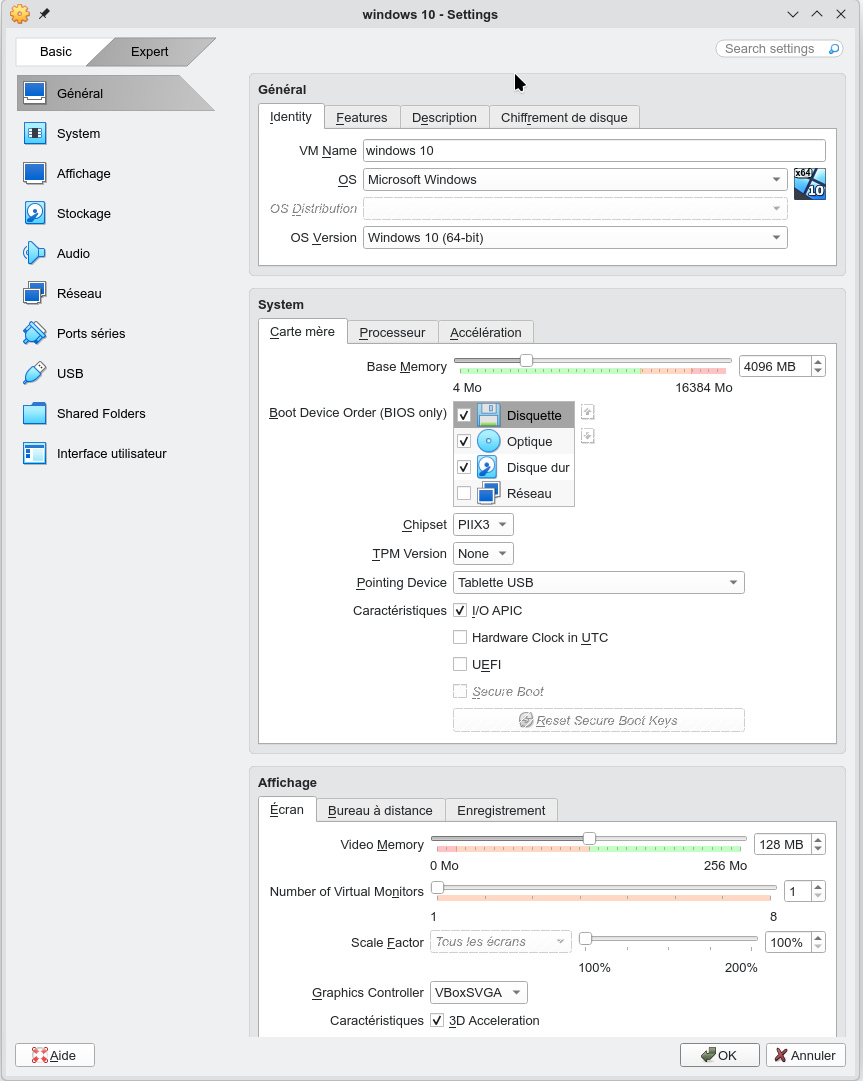
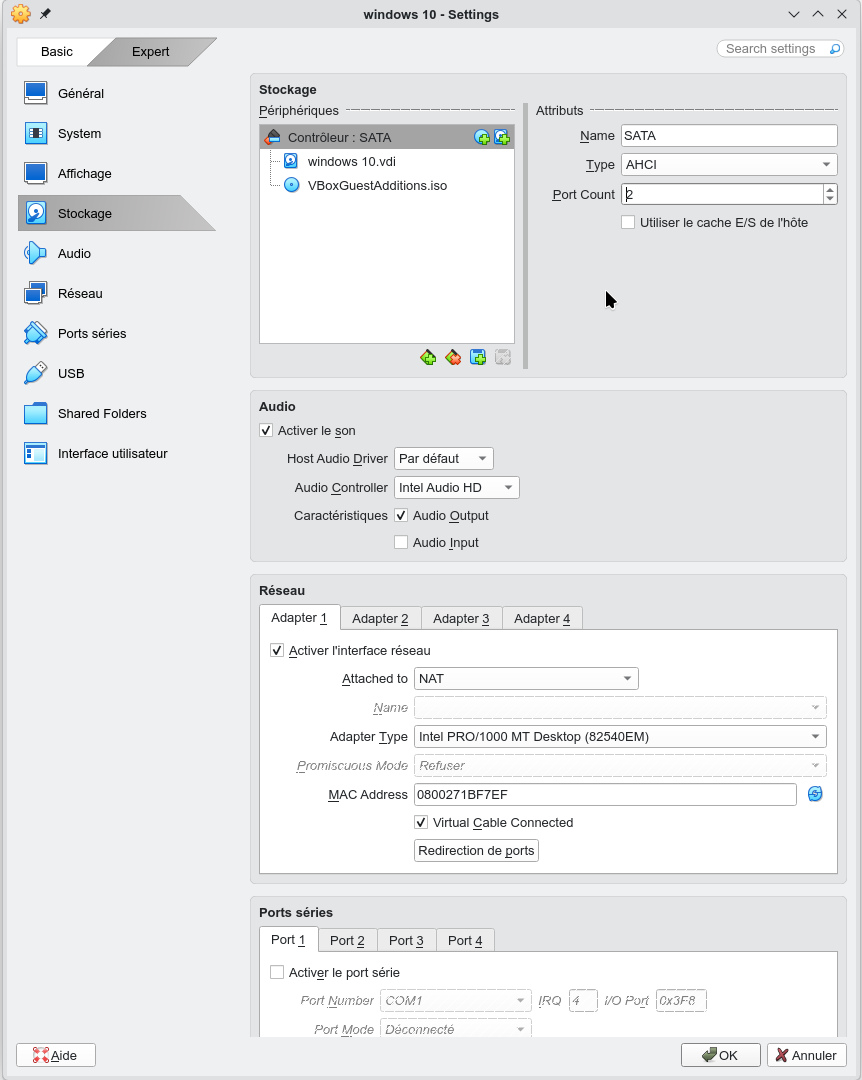
Création d'une machine virtuelle windows 10
La première fois qu'on tape VirtualBox, voilà ce qu'on obtient
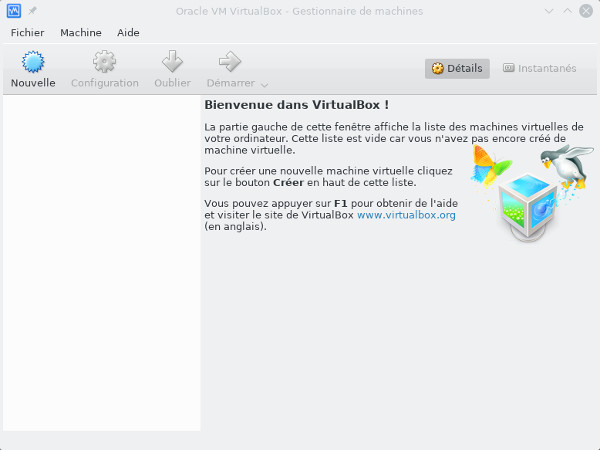
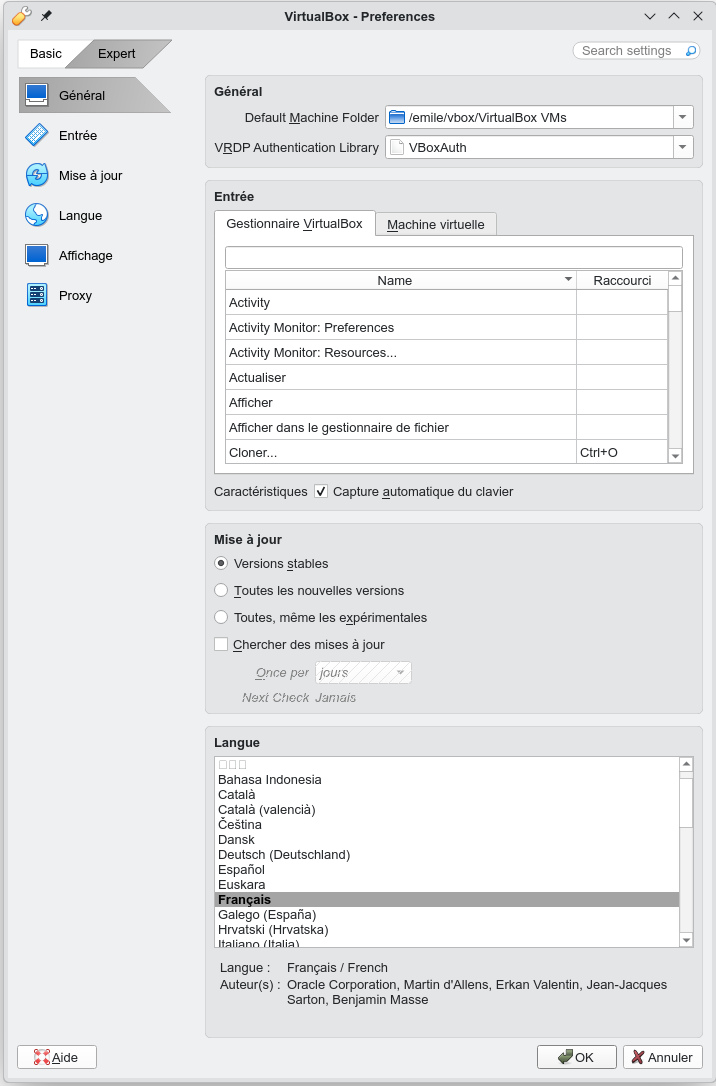
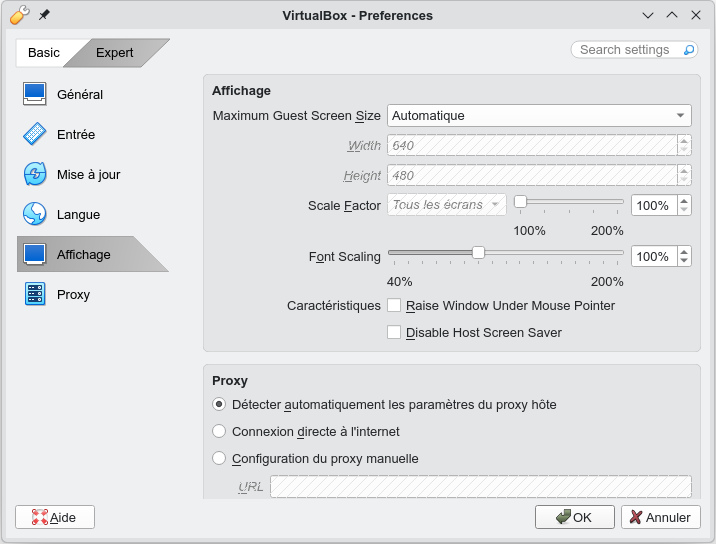
On revient à l'écran précédent et on
clique sur Create a new virtual machine (VM), exemple
avec une machine virtuelle windows 10
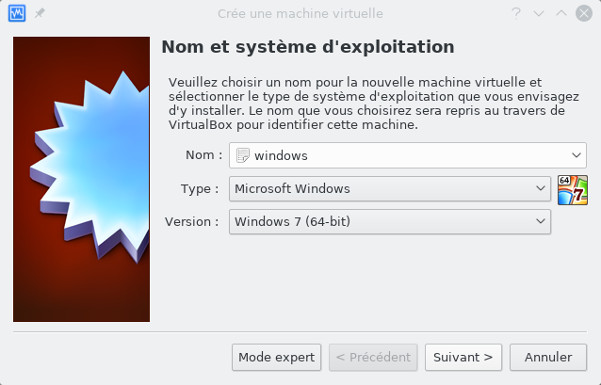
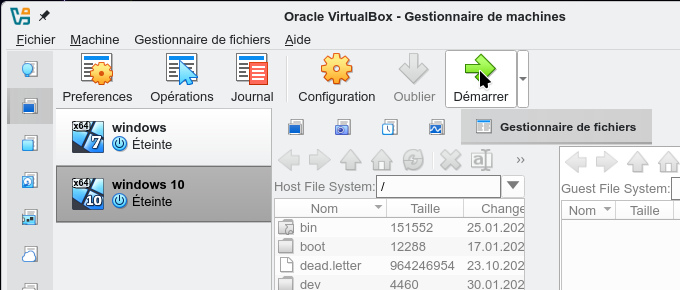
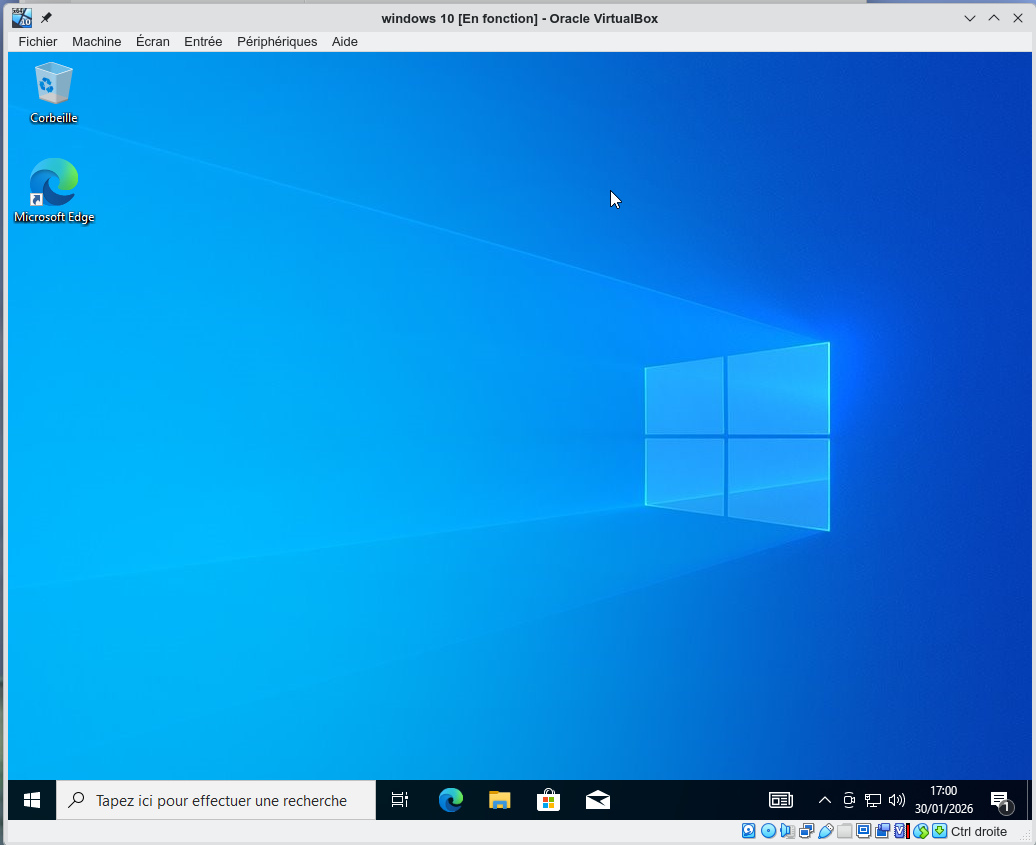
Ensuite c'est une installation
Windows tout à fait classique dans l'environnement virtualbox
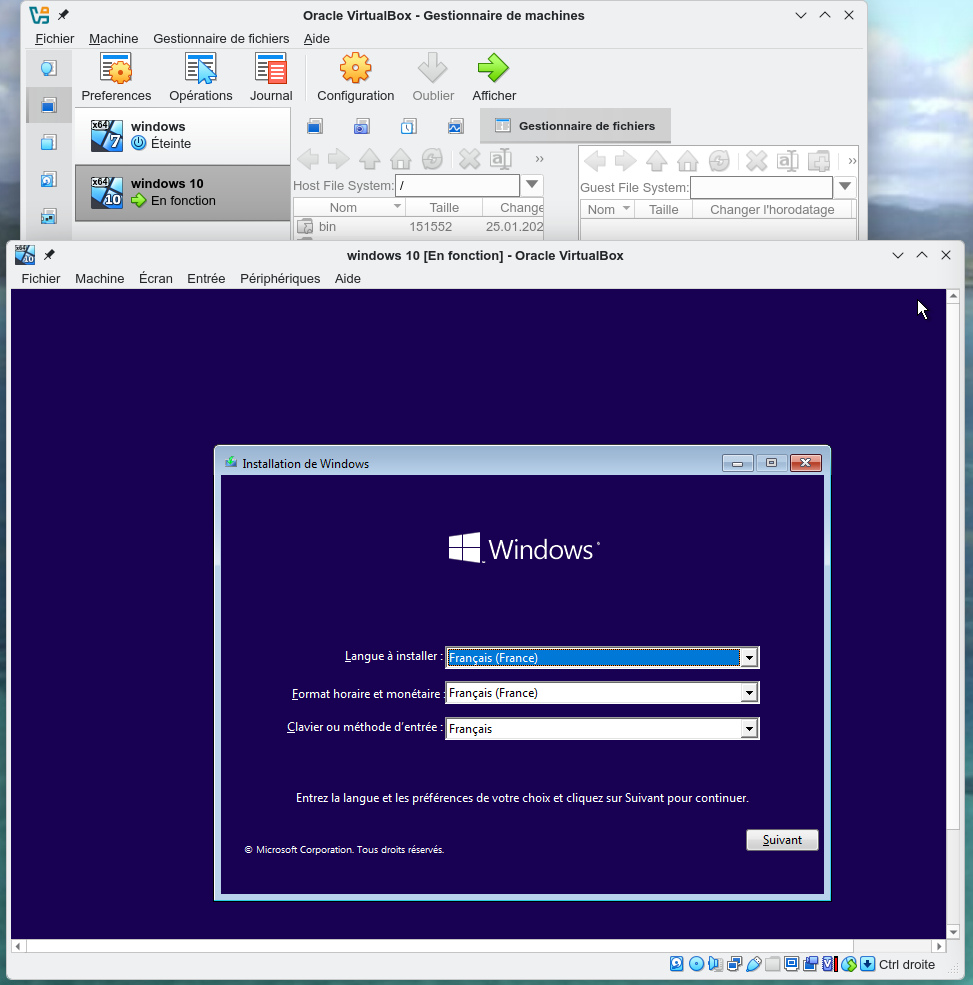
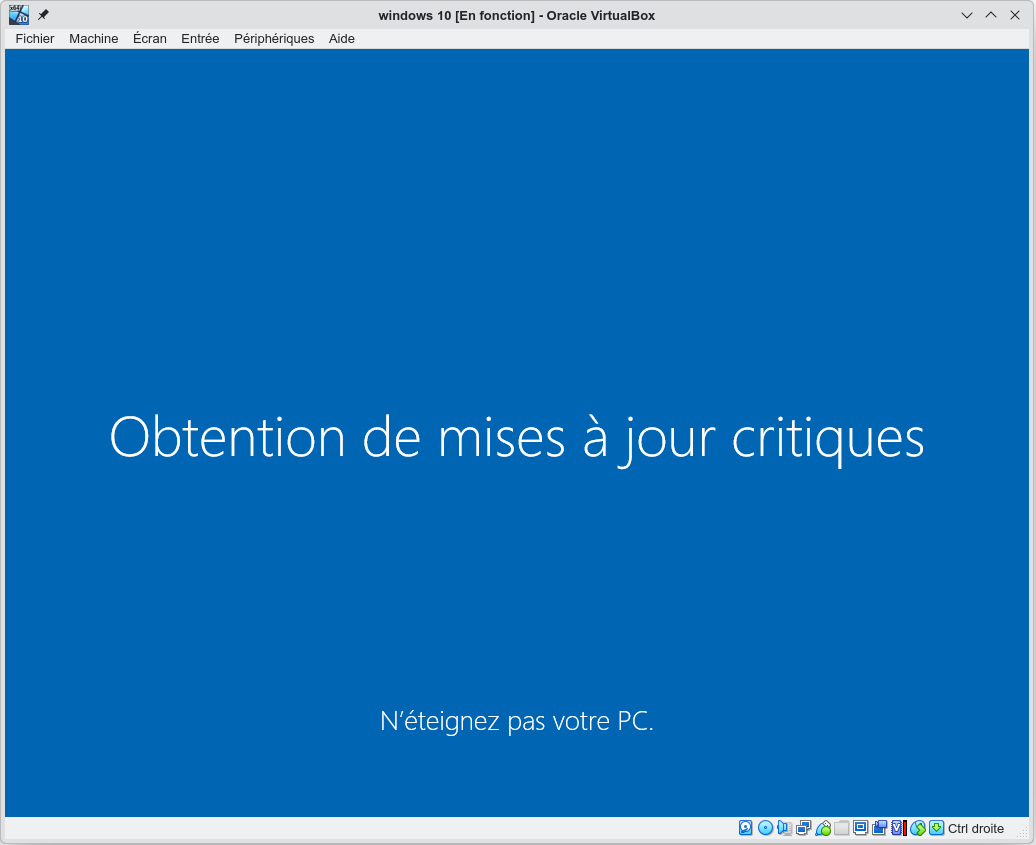
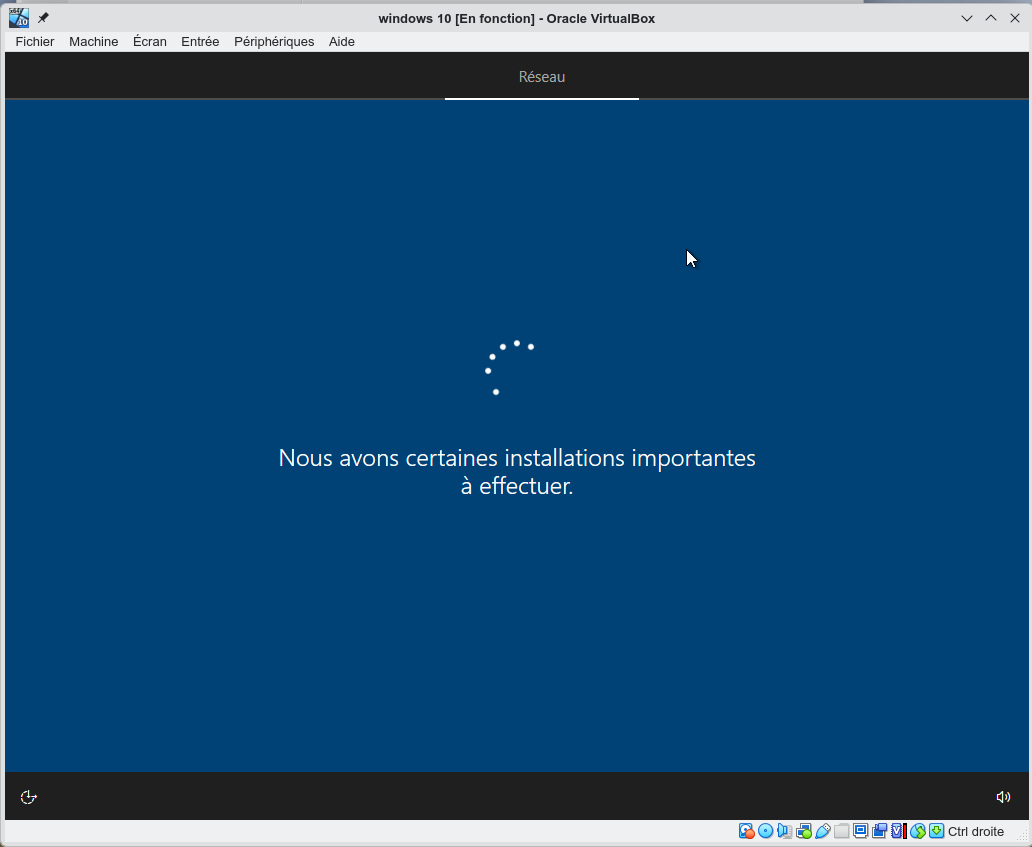
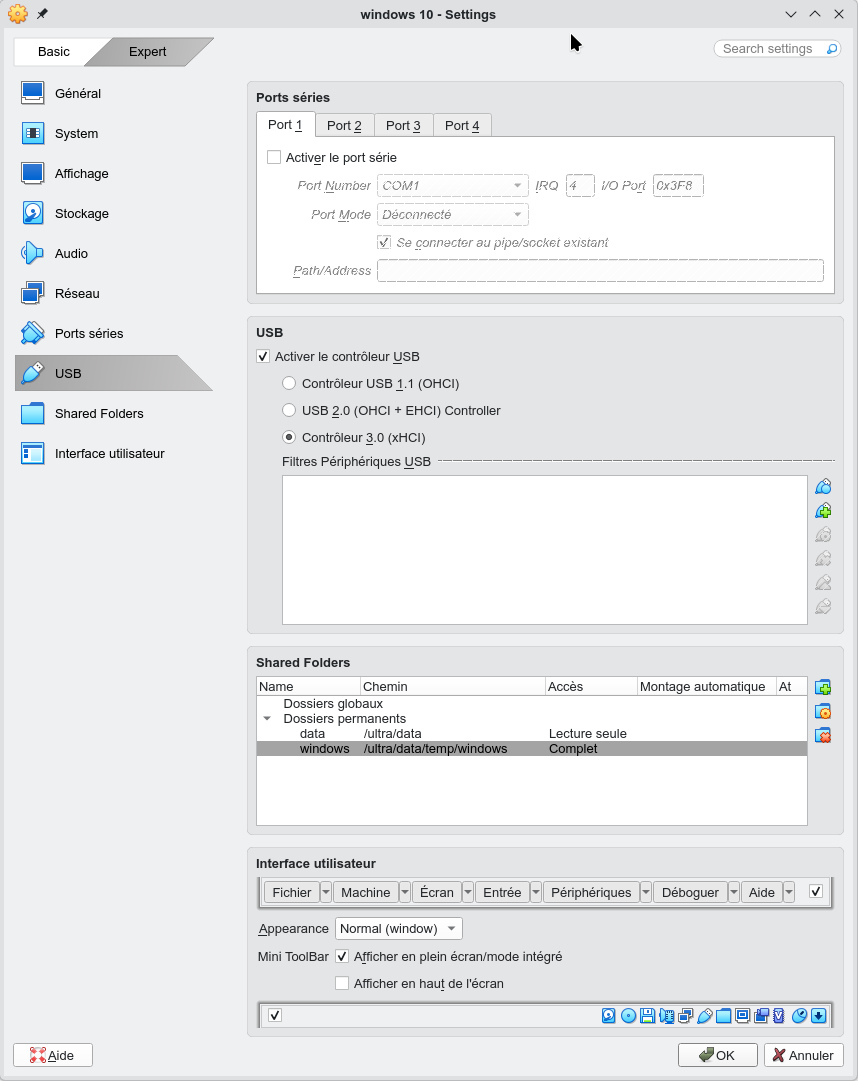
On quitte maintenant windows et on
récupère le fichier des extensions (Guest Additions) qui
est en semble de drivers et d'applications spécifiques au
système hôte Linux. On le récupèrera sur la page de download
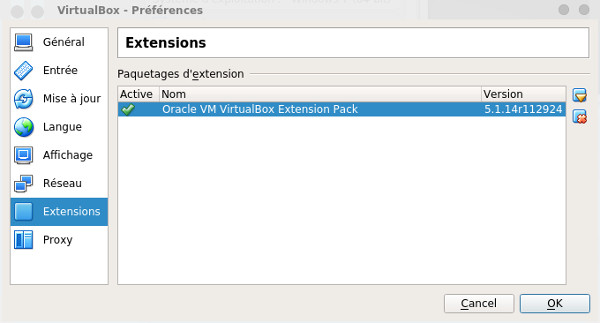
(fichier Oracle_VirtualBox_Extension_Pack-7.2.4.vbox-extpack),
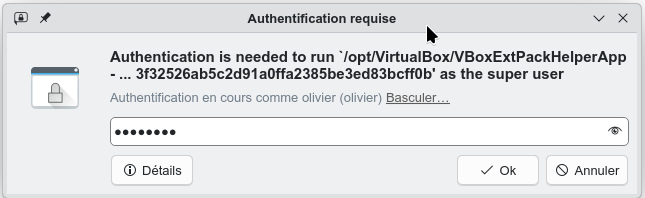
on l'installe à partir de Extensions->Install
il demande alors le mot de passe root
et ça devrait marcher, s'il y a une erreur Failed to run, vous faites
un copier coller de la commande dans un shell et vous la tapez
en tant que root
pour voir si l'extension est bien installée
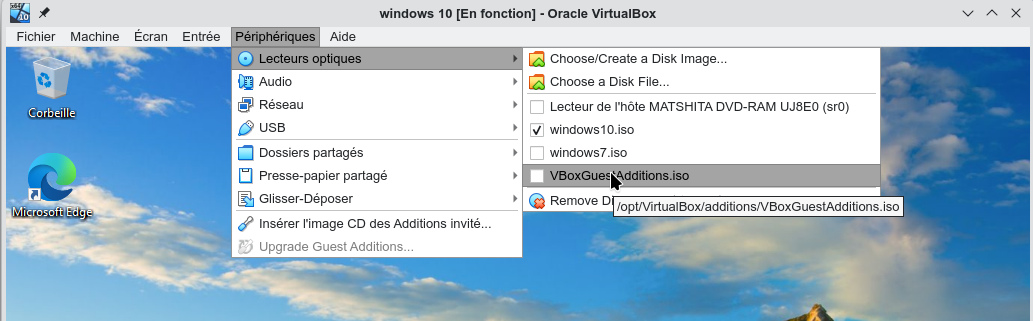
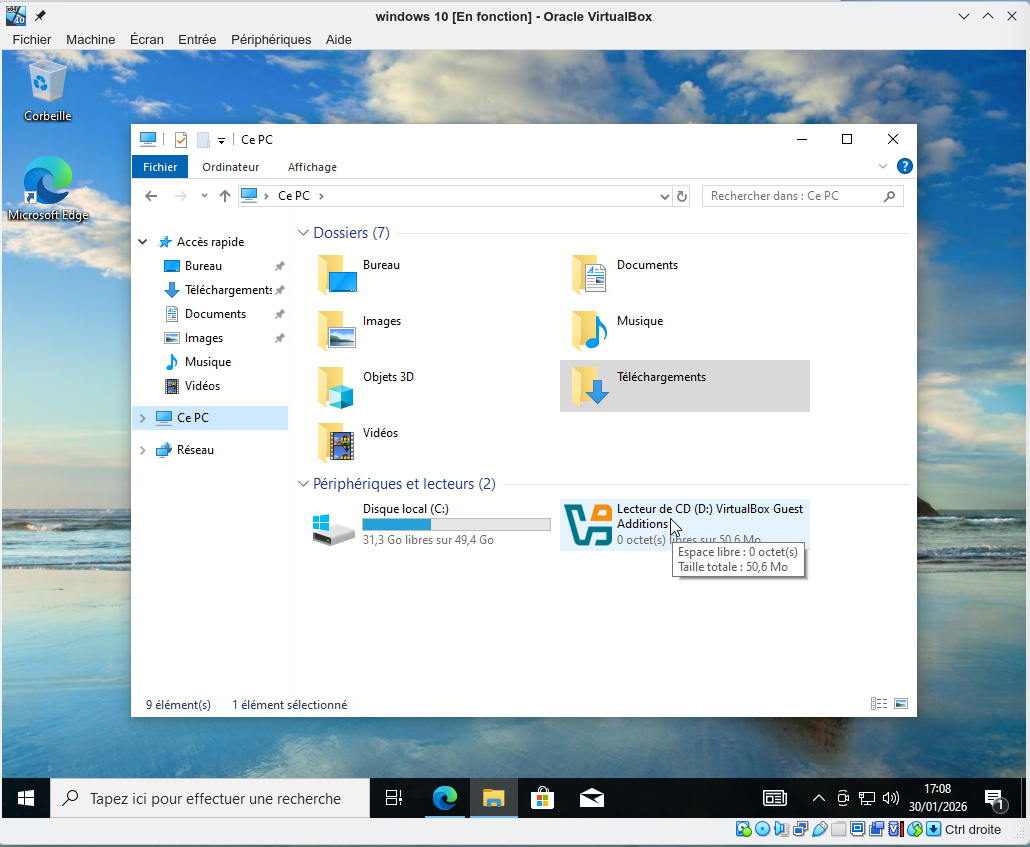
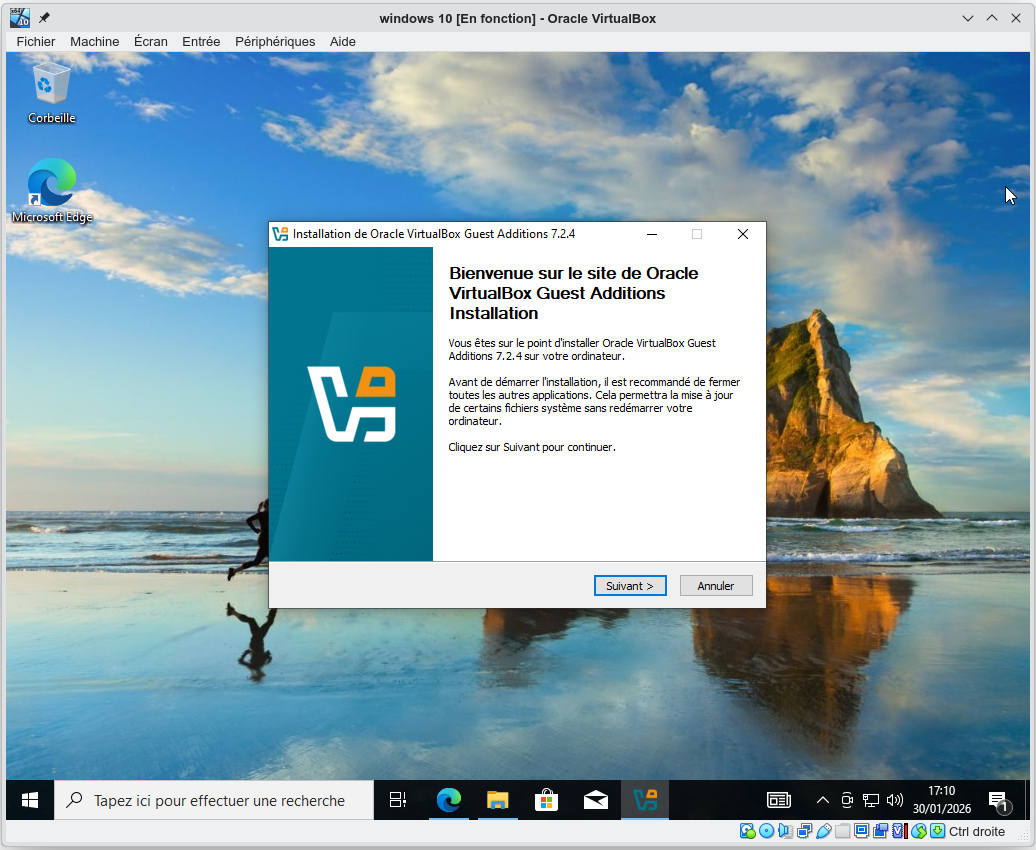
On lance la VM et on charge les
extensions à partir du menu Périphériques->Lecteurs
optiques
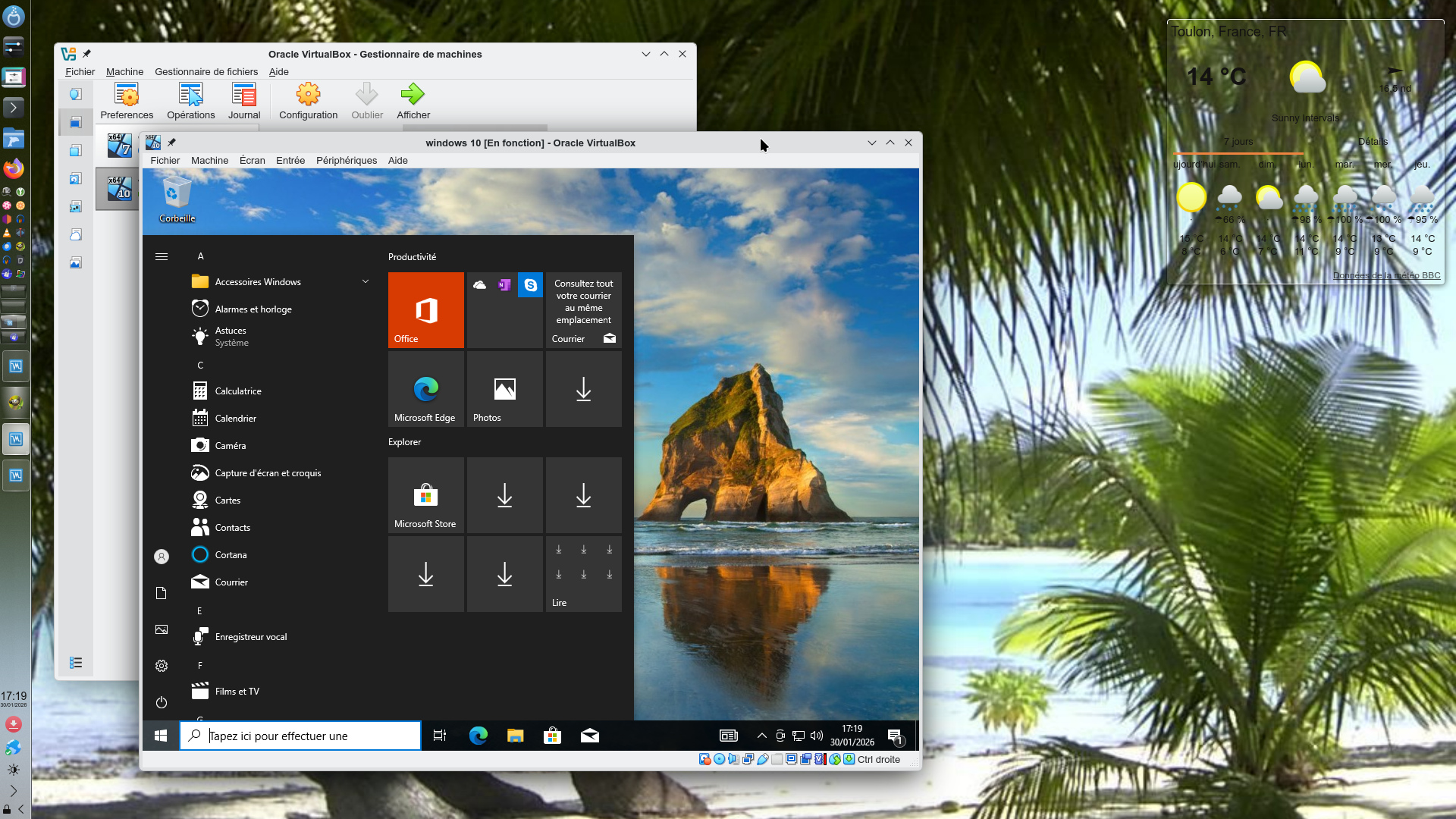
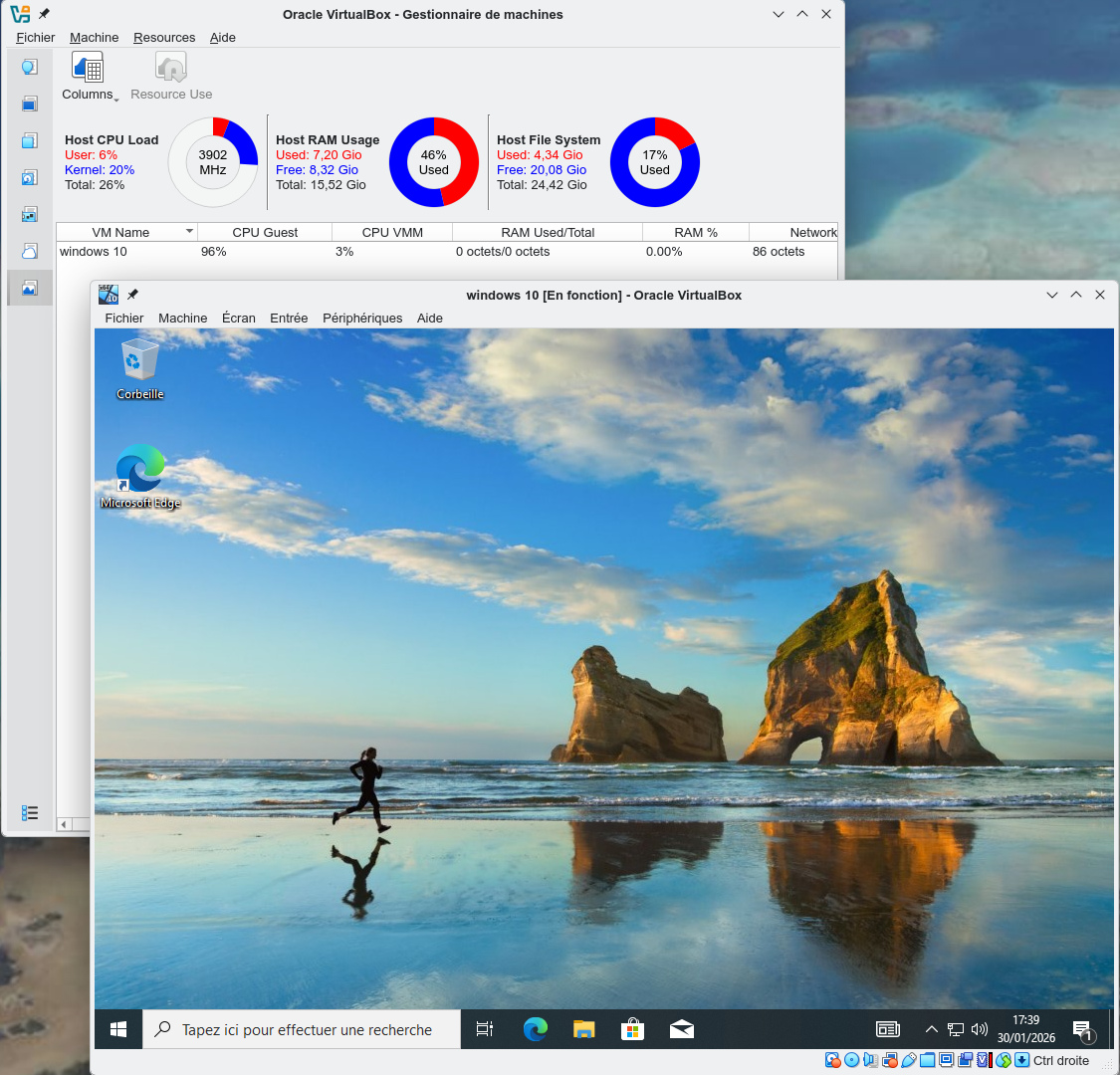
Notre machine virtuelle est maintenant prête.
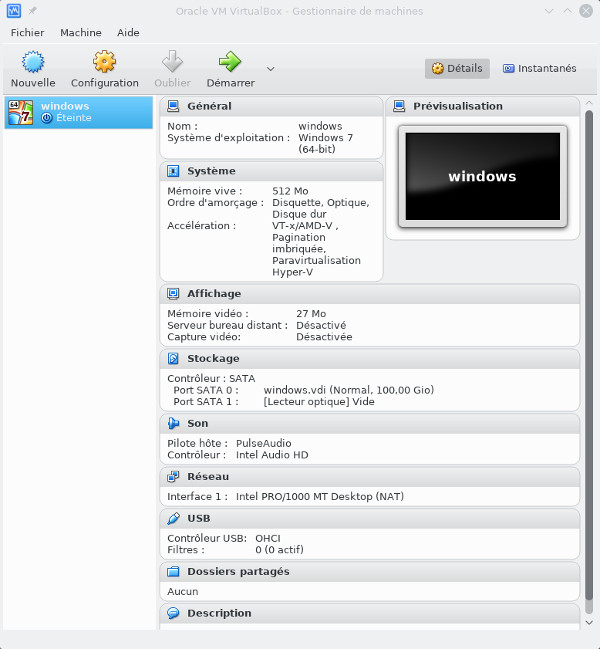
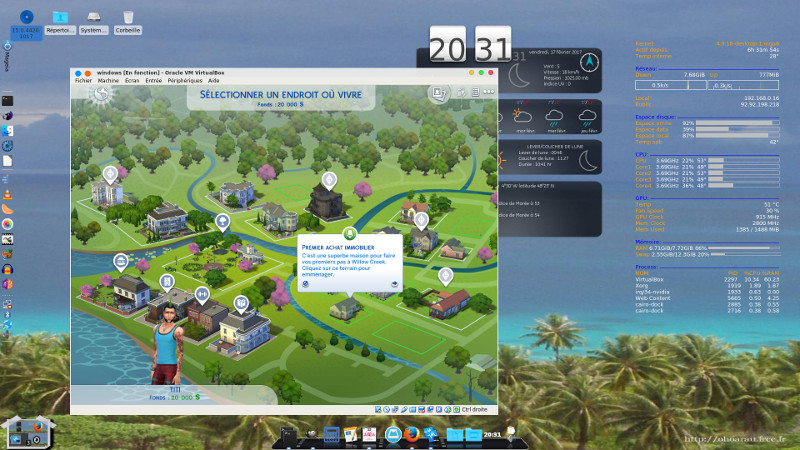
Vous avez
maintenant un système Windows pleinement opérationnel qui vous
permet d'utiliser des logiciels Windows tout en restant sous
Linux.
Partager une machine virtuelle
C'est sympa, mais maintenant que j'ai créé mes utilisateurs sous windows, j'aimerais bien que mes autres utilisateurs linux accèdent à ma machine virtuelle. Rien de plus simple ! On va passer par sudo, l'idée est que tous les utilisateurs du groupe tartempion puissent lancer VirtualBox en tant qu'olivier sans avoir à saisir de mot de passe. Certes cela crée une vulnérabilité, c'est donc à vous de voir suivant la confiance que vous pouvez accorder à vos utilisateurs.En tant que root on tape visudo et on saisit
%tartempion ALL = (olivier) NOPASSWD: /bin/virtualbox
pour lancer VirtualBox si on est dans le groupe tartempion sans être olivier, il faudra taper dans un shell
xhost +
sudo -u olivier /bin/virtualbox
problème, on n'accède ni au lecteur de CD-ROM et ni au son. Pour le CD-ROM il suffit de rajouter les utilisateurs tartempion au groupe cdrom. Pour le son avec pulseaudio il faudra le lancer en mode system wide, c'est à dire que le daemon est lancé de manière globale et non pas par l'utilisateur à l'ouverture d'une session. Pour cela on va créer les groupes suivants:
groupadd --system pulse
groupadd --system pulse-access
et l'utilisateur système suivant
adduser --system -m -g pulse -d /var/run/pulse pulse
on rajoute l'utilisateur pulse dans le groupe audio dans le fichier /etc/group et nos utilisateurs du groupe tartempion dans le groupe pulse-access sous /etc/group
On édite le fichier /etc/pulse/client.conf, il doit contenir
default-server = /var/run/pulse/native
autospawn = no
j'ai également désinhibé l'exécutable qui lance pulseaudio à chaque login en tapant
chmod -x /usr/bin/start-pulseaudio-x11
maintenant avec systemd j'ai créé le service /usr/lib/systemd/system/pulseaudio.service contenant
[Unit]
Description=PulseAudio system server
[Service]
Type=notify
ExecStart=/usr/bin/pulseaudio --daemonize=no --system --realtime --log-target=journal
ExecStop=/usr/bin/pulsaudio --kill
[Install]
WantedBy=multi-user.target
je l'active en tant
systemctl --system enable pulseaudio.service
voilà le résultat
Created symlink /etc/systemd/system/multi-user.target.wants/pulseaudio.service → /usr/lib/systemd/system/pulseaudio.service.
pulse 1044 0.2 0.1 482720 11656 ? S<sl 19:02 0:00 /usr/bin/pulseaudio --daemonize=no --system --realtime --log-target=journal
et la commande
systemctl status pulseaudio.service
donne
● pulseaudio.service - PulseAudio system server
Loaded: loaded (/usr/lib/systemd/system/pulseaudio.service; enabled; vendor preset: enabled)
Active: active (running) since sam. 2017-02-18 19:02:29 CET; 24min ago
Main PID: 1044 (pulseaudio)
CGroup: /system.slice/pulseaudio.service
└─1044 /usr/bin/pulseaudio --daemonize=no --system --realtime --log-target=journal
févr. 18 19:02:25 predator.kervao.fr pulseaudio[1044]: Running in system mode, forcibly disabling exit idle time.
févr. 18 19:02:25 predator.kervao.fr pulseaudio[1044]: Vous exécutez PA dans un mode système. Sachez que vous ne devriez pas faire cela.
févr. 18 19:02:25 predator.kervao.fr pulseaudio[1044]: Si vous choisissez malgré tout de le faire, vous êtes responsable de tout dysfonctionnement inattendu.
févr. 18 19:02:25 predator.kervao.fr pulseaudio[1044]: Veuillez lire http://www.freedesktop.org/wiki/Software/PulseAudio/Documentation/User/WhatIsWrongWithSystemWide/ pour comprendre pourquoi le mode système est généralement une ma
févr. 18 19:02:29 predator.kervao.fr pulseaudio[1044]: Failed to open cookie file '/var/run/pulse/.config/pulse/cookie': Aucun fichier ou dossier de ce type
févr. 18 19:02:29 predator.kervao.fr pulseaudio[1044]: Failed to load authentication key '/var/run/pulse/.config/pulse/cookie': Aucun fichier ou dossier de ce type
févr. 18 19:02:29 predator.kervao.fr pulseaudio[1044]: Failed to open cookie file '/var/run/pulse/.pulse-cookie': Aucun fichier ou dossier de ce type
févr. 18 19:02:29 predator.kervao.fr pulseaudio[1044]: Failed to load authentication key '/var/run/pulse/.pulse-cookie': Aucun fichier ou dossier de ce type
févr. 18 19:02:29 predator.kervao.fr pulseaudio[1044]: Failed to acquire org.pulseaudio.Server: org.freedesktop.DBus.Error.AccessDenied: Connection ":1.31" is not allowed to own the service "org.pulseaudio.Server" due to security p
févr. 18 19:02:29 predator.kervao.fr systemd[1]: Started PulseAudio system server.
noter bien que lancer pulseaudio en mode system wide c'est mal ! Il y a des erreurs mais qui visiblement ne nuisent pas au fonctionnement.
c'est tout bon ! Pour finaliser pour les utilisateurs du groupe tartempion (hors olivier) j'ai créé le script windows suivant
#!/bin/bash
xhost +
sudo -u olivier /bin/virtualbox
que j'ai rendu exécutable
chmod 755 /usr/bin/windows
on lancera donc VirtualBox par ce biais.
Cloner/dupliquer/sauvergarder une machine virtuelle
Maintenant que vous avez partagé votre machine virtuelle, vous pouvez également la cloner/dupliquer/sauvegarder à partir de Fichiers->Exporter un appareil virtuel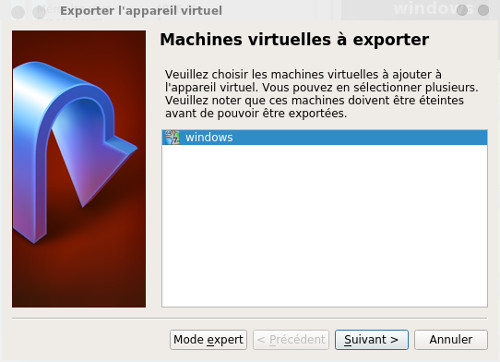
Pour d'autres infos http://doc.ubuntu-fr.org/virtualbox
Virtualisation avec Docker
Le site officiel est https://www.docker.com/
mais je me suis contenté du package de ma Mageia
urpmi docker docker-compose
on lance ensuite docker en tapant
systemctl start docker
voilà son statut
systemctl status docker
et le résultat
● docker.service - Docker Application Container Engine
Loaded: loaded
(/usr/lib/systemd/system/docker.service; disabled; preset:
disabled)
Active: active (running)
since Fri 2025-09-26 17:02:55 CEST; 6s ago
Docs:
http://docs.docker.com
Process: 210883
ExecStartPre=/usr/sbin/docker-network-cleanup
(code=exited, status=0/SUCCESS)
Main PID: 210886 (dockerd)
Tasks: 17
Memory: 41.1M
CPU: 369ms
CGroup:
/system.slice/docker.service
├─210886 /usr/sbin/dockerd --data-root /var/cache/docker
-H unix:///var/run/docker.sock -H tcp://127.0.0.1:2375
└─210899 containerd --config
/var/run/docker/containerd/containerd.toml
sept. 26 17:02:52 ultra.kervao.fr dockerd[210899]:
time="2025-09-26T17:02:52.687489959+02:00" level=info
msg=serving...
address=/var/run/docker/containerd/containerd.sock
sept. 26 17:02:52 ultra.kervao.fr dockerd[210899]:
time="2025-09-26T17:02:52.687576078+02:00" level=info
msg="containerd successfully booted in 0.201550s"
sept. 26 17:02:54 ultra.kervao.fr dockerd[210886]:
time="2025-09-26T17:02:54.283134739+02:00" level=info
msg="Loading containers: start."
sept. 26 17:02:55 ultra.kervao.fr dockerd[210886]:
time="2025-09-26T17:02:55.007460149+02:00" level=info
msg="Loading containers: done."
sept. 26 17:02:55 ultra.kervao.fr dockerd[210886]:
time="2025-09-26T17:02:55.281188368+02:00" level=warning
msg="WARNING: API is accessible on http://127.0.0.1:2375
without encryption>
sept. 26 17:02:55 ultra.kervao.fr dockerd[210886]:
time="2025-09-26T17:02:55.281244407+02:00" level=info
msg="Docker daemon" commit=library-import
containerd-snapshotter=false storage>
sept. 26 17:02:55 ultra.kervao.fr dockerd[210886]:
time="2025-09-26T17:02:55.281378785+02:00" level=info
msg="Daemon has completed initialization"
sept. 26 17:02:55 ultra.kervao.fr dockerd[210886]:
time="2025-09-26T17:02:55.804448712+02:00" level=info
msg="API listen on /var/run/docker.sock"
sept. 26 17:02:55 ultra.kervao.fr systemd[1]: Started
docker.service.
sept. 26 17:02:55 ultra.kervao.fr dockerd[210886]:
time="2025-09-26T17:02:55.804558097+02:00" level=info
msg="API listen on 127.0.0.1:2375"
pour voir si docker fonctionne correctement on
tapera
docker run hello-world
voilà le résultat
Unable to find image 'hello-world:latest' locally
latest: Pulling from library/hello-world
17eec7bbc9d7: Pull complete
Digest:
sha256:54e66cc1dd1fcb1c3c58bd8017914dbed8701e2d8c74d9262e26bd9cc1642d31
Status: Downloaded newer image for hello-world:latest
Hello from Docker!
This message shows that your installation appears to
be working correctly.
To generate this message, Docker took the following
steps:
1. The Docker client contacted the Docker
daemon.
2. The Docker daemon pulled the "hello-world"
image from the Docker Hub.
(amd64)
3. The Docker daemon created a new container
from that image which runs the
executable that produces the
output you are currently reading.
4. The Docker daemon streamed that output to
the Docker client, which sent it
to your terminal.
To try something more ambitious, you can run an
Ubuntu container with:
$ docker run -it ubuntu bash
Share images, automate workflows, and more with a
free Docker ID:
https://hub.docker.com/
For more examples and ideas, visit:
https://docs.docker.com/get-started/
pour que docker soit lancé à chaque reboot, on
tapera
systemctl enable docker
Pour avoir un exemple d'application qui utilise Docker,
vous pouvez aller sur la page Frigate.
| [Retour page d'accueil] |